
 | ||||
FREE
NEEDLEPOINT
DESIGNS!
| ||||
Welcome to the Free Needlepoint Design Page! Below is a list of the designs available for you to download. These designs are free for members of stitchopedia.com and may not be sold, traded or duplicated. These are for your personal use only. Clicking on the design you are interested in will direct you to the page with details and instructions for that design. Once there, you will need to click on the PDF icon. This will open the file. Choose the print icon (it will look like a printer) in the pdf area of the window. Note: Do not print from the "file" menu. This will not work. IMPORTANT: When the PRINT window opens, check the box marked "Choose Paper Source By PDF Page Size". If this box is not checked, you will lose part of the design.
| ||||||
| ||||||
Stitch-opedia
An encyclopedia of needlepoint Stitches...
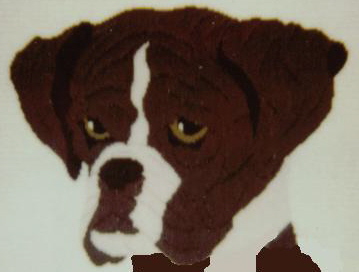
Boris, The Boxer
20" x 16"
Long Stitch design with Brick Stitch background
By: Carolyn McNeil
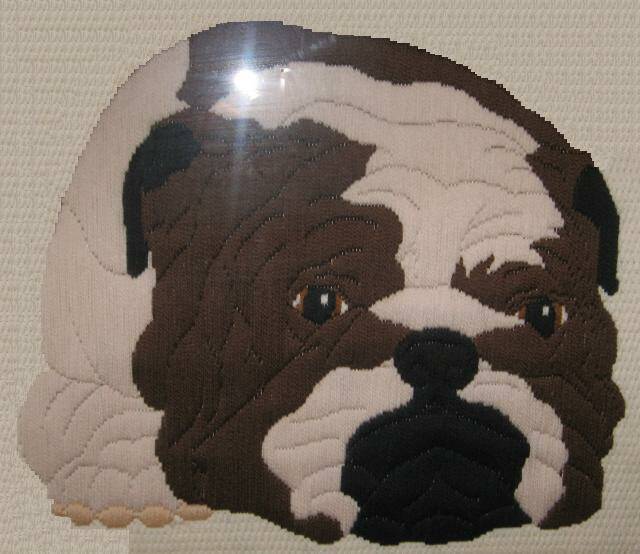
Basil, The Bulldog
20" x 16"
Long Stitch design with Brick Stitch background
By: Carolyn McNeil

Copyright 2006...Stitchopedia...All Rights Reserved
*Stitch Index*
Select the first letter of the stitch you are looking for...
*Stitch Index*
Select the first letter of the stitch you are looking for...
| ||||||
